OMDEX
Private practice tools
that stay private
Offline-first scheduling, records and bookkeeping.
No accounts, no subscriptions. Your data stays on your device —
with optional end-to-end encrypted sync across your own devices.
 omdex
omdex
 records
 figures
omdex v4.3.5
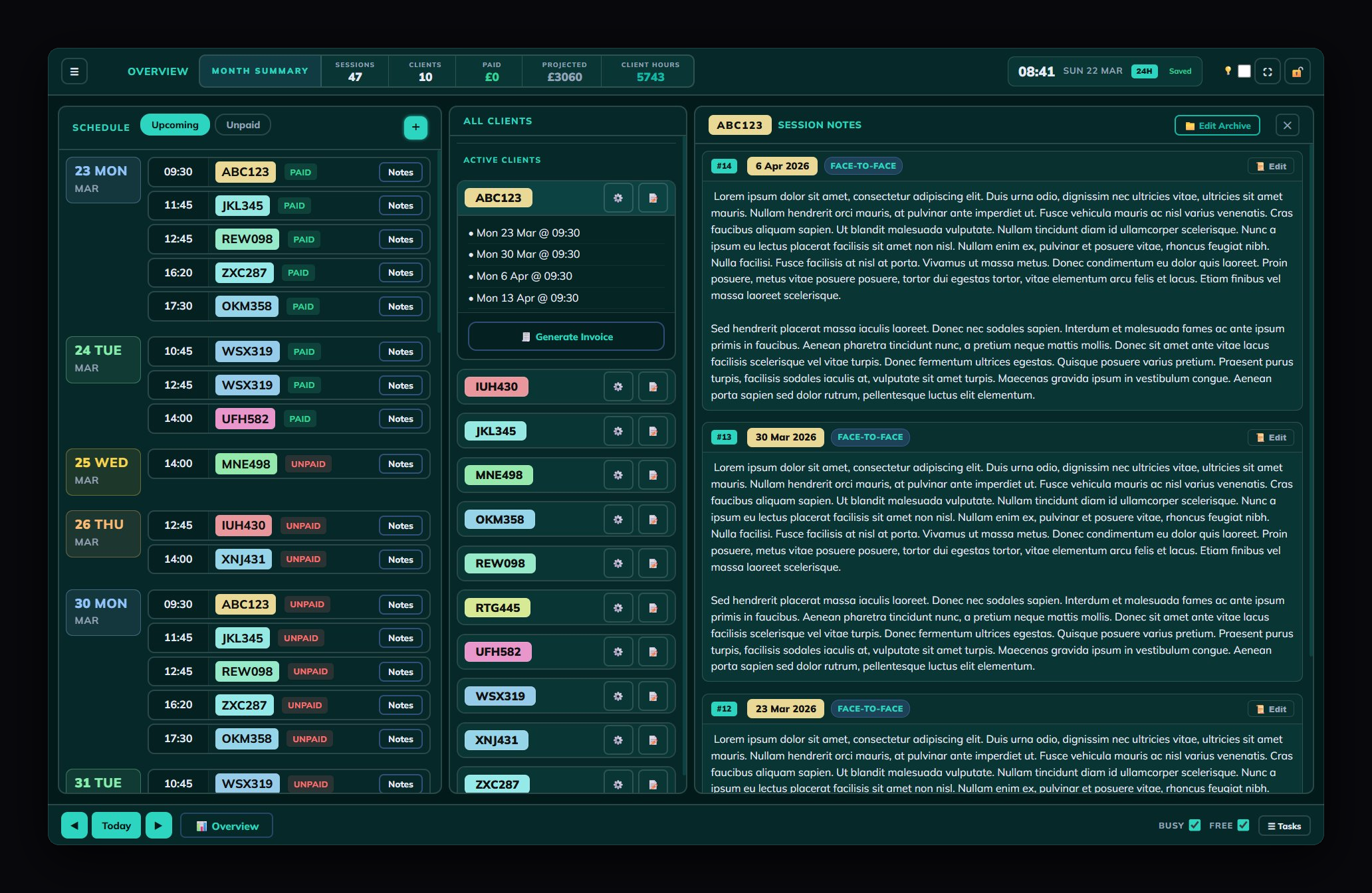
A complete offline scheduler for solo therapists and practitioners. Manage clients, track sessions, handle payments, and generate invoices — all from a single file that lives on your device.
- Week, month & overview calendar views
- Client database with fee tracking
- Payment status & income reports
- CORE-10, PHQ-9 & GAD-7 clinical outcome assessment
- Recurring task system
- Email template generator, PDF invoice generator
- 'omdex-modes' reflective clinical tool included
- Passcode lock with AES-256 encryption
- Optional encrypted cloud sync across devices
One-time payment. No subscription, no renewal. Updates are always included — buy once and keep using it.
omdex-records v1.1.4
A companion client register for solo practitioners. Store contact details, emergency contacts, GP information and generate correspondence — fully offline, fully encrypted.
- Full client contact register
- Emergency contact & GP details
- Referral, admin & ending details
- Email & formal letter generator
- CSV import from Google Forms / Excel
- Export to CSV, .doc or PDF
- Same AES-256 encryption as omdex
- Shared theme system
Designed to pair with omdex. Names and contact details stay separate from your session records.
omdex-figures v1.2.2
A self-assessment bookkeeping tool for sole traders and freelancers. Track business income and expenses against HMRC SA103 categories, monitor your tax liability, and export a ready-to-use summary — all offline, all encrypted.
- Business & personal income/expense ledger
- HMRC SA103 category mapping
- Estimated tax & NI liability calculator
- Month-by-month and year view
- Customisable categories
- Tax report print / export
- 40+ themes, passcode lock, AES-256 encryption
- Single HTML file — nothing leaves your device
Standalone — works for any sole trader. Not just therapists. If you file a self-assessment tax return, omdex-figures is built for you.
Keep identifying details
separate from clinical notes
omdex works on a simple principle: client names and contact details should be stored separately from session notes and clinical information. Each client is identified by a code — so your scheduling and notes stay clean and anonymised, while contact details live in their own dedicated space.
SCHEDULE
RECORD
TRACK
Built for how you actually work
Built for
confidentiality
Designed from the ground up for practitioners who handle sensitive client data. No compromises.
Simple as it should be
Purchase on Gumroad and receive instant access. No download needed — the apps live at omdex.app.
Create a client code — initials plus a number works well (e.g. JD01). Codes keep your records anonymous to anyone who finds the file, while staying easy for you to recognise.
Create a passcode on first use — this encrypts all your data. Then use Save .JSON regularly to export an encrypted backup. Browser storage is not permanent; your .json is your safety net.